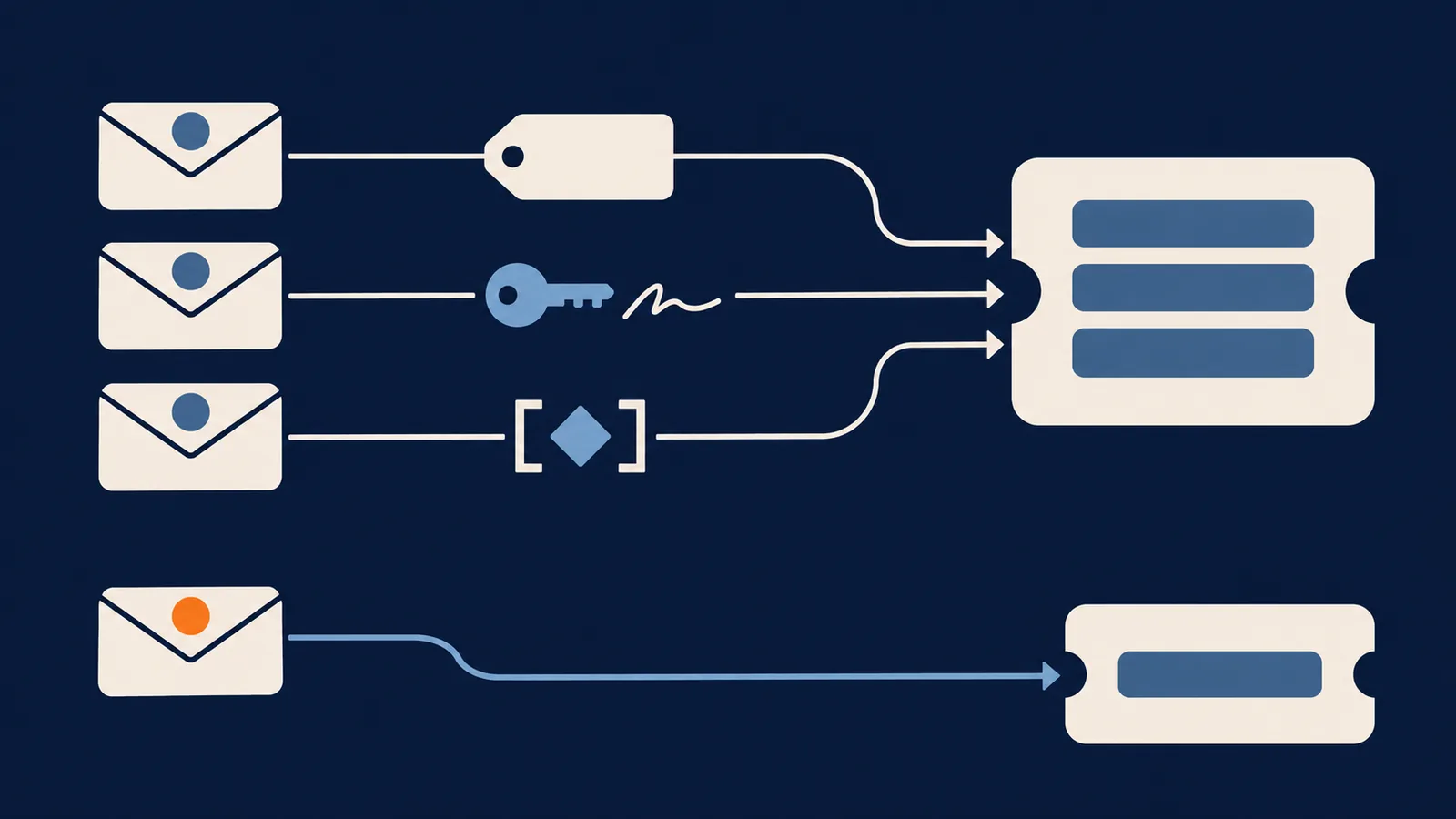
When an email arrives at your support address, the system has to decide one thing: new ticket, or reply to an existing one. Everything else in an email ticketing system is ordinary software. This decision is where it goes wrong, and it goes wrong in three ways. A customer's second email opens a duplicate ticket. An agent answers the wrong thread. Or a stranger posts into a case that isn't theirs.
Below are the headers involved, the order in which Escalated checks them, and what breaks each one. Escalated is the worked example because we can read its code. Where something is our own design rather than a standard, we say so.
Three headers do the work
Email has no idea what a ticket is, so threading is built from three header fields defined in RFC 5322:
Message-IDis a unique ID the sending system puts on every message.In-Reply-Toholds theMessage-IDof the message being answered.Referenceslists theMessage-IDof every earlier message in the thread, oldest first.
If your outgoing mail carries a Message-ID that encodes the ticket, a mail client will hand it back in In-Reply-To when the customer replies. That's the whole trick. The trouble is that plenty of clients, forwards and gateways don't behave, so real systems add fallbacks.
An outgoing reply on the wire
This is a reply from an Escalated install, trimmed to the fields that matter. The domain is a placeholder and the signature is an example value.
From:                  "Support" <support@example.com>
To:                    customer@theirco.com
Message-ID:            <ticket-1234-reply-9@example.com>
In-Reply-To:           <ticket-1234@example.com>
References:            <ticket-1234@example.com>
Reply-To:              reply+1234.3fa91c0d@example.com
X-Escalated-Ticket-Id: 1234
Subject:               Re: My invoice is wrong
Each field gives the reply a separate way home:
| Field | What it carries | Survives a forward? | Survives a rewritten subject? |
|---|---|---|---|
In-Reply-To / References |
The ticket's Message-ID |
Usually not, a forward starts a new thread | Yes |
Reply-To address |
Ticket id plus a signature | Only if the forwarder keeps the address | Yes |
| Subject tag | A reference such as [TK-XXX] |
Often | No, if the customer edits it |
Subject tags are a fallback, and the format is per host, not a standard. The NestJS reference implementation looks for [TK-XXX], while the Laravel package's README shows [ESC-00001]. Whatever you use, keep it stable, because old tickets carry the old tag.
The five-step lookup
On the way in, Escalated tries these in order and stops at the first match. This comes from the email threading design document.
In-Reply-Toagainst the ticket'sMessage-ID.References, the same way.- The signed address in the envelope
To(reply+{id}.{signature}@domain). - A subject reference like
[TK-XXX]. - A legacy table of Message-IDs, for tickets created before the format was standardised.
If nothing matches, the message becomes a new ticket. It's never dropped.
Only one of those proves anything
Step 1 looks safe, but the ticket's Message-ID is <ticket-1234@example.com>, built from the ticket number. Anyone who has seen the number, which is printed in the subject line, can write that header. References and the subject tag are just as guessable.
So the full chain is a compatibility mode. When an inbound secret is configured, Escalated uses only step 3, the signed address, because only that proves the sender received mail about the ticket. Mail that fails the check, or arrives without the signed address, becomes a new ticket. The cost is that a reply which loses its Reply-To address (some forwards and gateways do this) starts a new ticket instead of threading. Nothing is lost, but an agent may have to link the two by hand.
Why the reply address is signed
reply+1234@example.com has a flaw: anyone who can guess 1234 can send mail to that ticket, and ticket numbers are sequential and visible.
So Escalated signs it. It computes an HMAC-SHA256 of the ticket id with a server-side secret, keeps the first 8 hex characters, and puts them after a dot: reply+1234.3fa91c0d@example.com. On the way in it recomputes the code and compares in constant time, so a wrong guess doesn't leak how many characters were right.
Eight hex characters is 32 bits. That makes guessing a valid address for an arbitrary ticket impractical without the secret, and keeps the address short enough for mail clients. It's a trade-off we made, not a standard.
A signed address proves the sender got an email from you about that ticket. It doesn't prove who's writing, which is the next check.
Who may post to a ticket
Finding the ticket isn't the same as accepting the message. Escalated adds three rules:
- The sender must be the requester. A reply from any other address doesn't get added to the thread.
- Staff identity never comes from the
Fromline, which is unauthenticated. An email naming an agent's address isn't treated as that agent. Agents reply in the app, and until a per-agent signed address exists, an agent's emailed reply becomes a new ticket. - Only an accepted reply reopens a resolved or closed ticket.
A message that fails these checks becomes a new ticket for an agent to review. Nothing disappears, and a colleague who replies-all from another address still gets an answer. The requester's own address can still be forged, so turn on SPF, DKIM and DMARC enforcement at your inbound provider too.
What breaks threading
The usual causes of a reply landing on a new ticket:
| Cause | What happens | What helps |
|---|---|---|
| The customer forwards the thread, then replies from the forward | Headers are replaced and the sender may differ | The signed Reply-To, and unknown senders becoming new tickets |
A mail client or gateway drops the Reply-To address |
With a secret set, the signed address is the only match, so it threads nowhere | Link the two tickets by hand; test your inbound path |
| A colleague replies-all from their own address | The sender isn't the requester | A new ticket is the right outcome |
| An agent replies by email | Staff identity never comes from From |
Agents answer in the app |
| The signing secret is rotated | Signed addresses on mail already sent stop verifying | Choose the secret once |
Auto-replies can loop. If your help desk sends an acknowledgement and the customer's out-of-office answers it, two machines can reply to each other all day. The standard marker for automatic mail is the Auto-Submitted header. We haven't found explicit loop protection in the Laravel package, so test it on your own install before you switch on auto-acknowledgements.
Getting mail in: IMAP, webhooks or forwarding
| Provider webhook | IMAP polling | Forwarding to a mailbox | |
|---|---|---|---|
| Latency | Seconds | Up to the poll interval | Depends on the mailbox |
| Needs a public endpoint | Yes | No | No |
| Verified by | A signature or token from the provider | Your IMAP credentials | Nothing built in |
| Failure mode | Missed if your endpoint is down, unless the provider retries | Missed if the mailbox fills or credentials expire | Rewrites headers on the way |
| Good for | Production, any volume | Internal tools, or no access to inbound DNS | Quick trials only |
The Laravel package supports Mailgun, Postmark and AWS SES webhooks, each verified, plus IMAP polling. When the IMAP adapter is on, escalated:poll-imap runs every minute. Every inbound message is written to an escalated_inbound_emails table, which is the first place to look when someone asks what happened to an email.
A working configuration
For a Mailgun webhook, the settings are environment variables. These names come straight from the package's config file:
ESCALATED_INBOUND_EMAIL=true
ESCALATED_INBOUND_ADAPTER=mailgun
ESCALATED_INBOUND_ADDRESS=support@example.com
ESCALATED_MAILGUN_SIGNING_KEY=your-mailgun-webhook-signing-key
ESCALATED_EMAIL_INBOUND_SECRET=a-long-random-string
Point the Mailgun route at your install's webhook, which the package registers as POST /support/inbound/mailgun (support is the configurable route prefix). For IMAP, set ESCALATED_INBOUND_ADAPTER=imap and fill in ESCALATED_IMAP_HOST, _PORT, _ENCRYPTION, _USERNAME, _PASSWORD and _MAILBOX.
Keep the signing secret out of version control. Rotating ESCALATED_EMAIL_INBOUND_SECRET changes the signature, so signed addresses on mail you already sent stop verifying and replies to those threads become new tickets.
DNS that people forget
Threading only matters if your outgoing mail arrives, because no delivery means no reply.
- SPF lists which servers may send for your domain. RFC 7208 allows at most 10 DNS-querying terms (
include,a,mx,ptr,exists,redirect) per evaluation. Go over and receivers return a permanent error, and many treat that as a failure. Every support tool that wants its owninclude:makes this easier to hit. - DKIM signs the message so tampering can be detected.
- DMARC tells receivers what to do when SPF and DKIM fail. Enforce it on your inbound provider too, so a forged
Fromis rejected before it becomes a ticket.
A ticketing system can't tell by itself whether a From line is genuine. That has to be settled at the mail layer.
Questions to ask any system
- Does a header match alone ever attach mail to a ticket? Headers are guessable.
- Are reply addresses signed, and with what secret?
- Is the sender checked against the requester before a message is added?
- What happens to mail it can't match? It should become a ticket.
- Which inbound transports does it support, and are webhooks verified?
- Is every inbound message logged somewhere you can query?
- What does it do with automatic replies?
- Can you rotate the signing secret without losing old threads?
FAQ
How does an email ticketing system match a reply to a ticket?
It checks the In-Reply-To and References headers, a signed reply address and a reference tag in the subject. Headers and tags are guessable, so a careful system accepts only the signed address as proof when a secret is set. If nothing matches, the message becomes a new ticket.
Why is my help desk creating duplicate tickets?
The reply lost whatever the system relies on: the headers on a forward, the subject tag after an edit, or the signed Reply-To address when a gateway drops it. Find out which signal yours depends on, then look at the inbound log for the message.
Do I need SPF, DKIM and DMARC for a ticketing system? Yes for outgoing mail, so replies are delivered. DMARC enforcement on incoming mail also helps stop forged senders. Mind the 10-lookup limit on SPF.
Is IMAP or a webhook better? A provider webhook is faster and verified by a signature, but needs a public endpoint. IMAP needs none and is fine when a short delay is acceptable.
Can customers reply without an account? They should. Escalated creates a guest ticket for senders it doesn't recognise. The inbound email documentation covers setup.
Details as of November 2026.