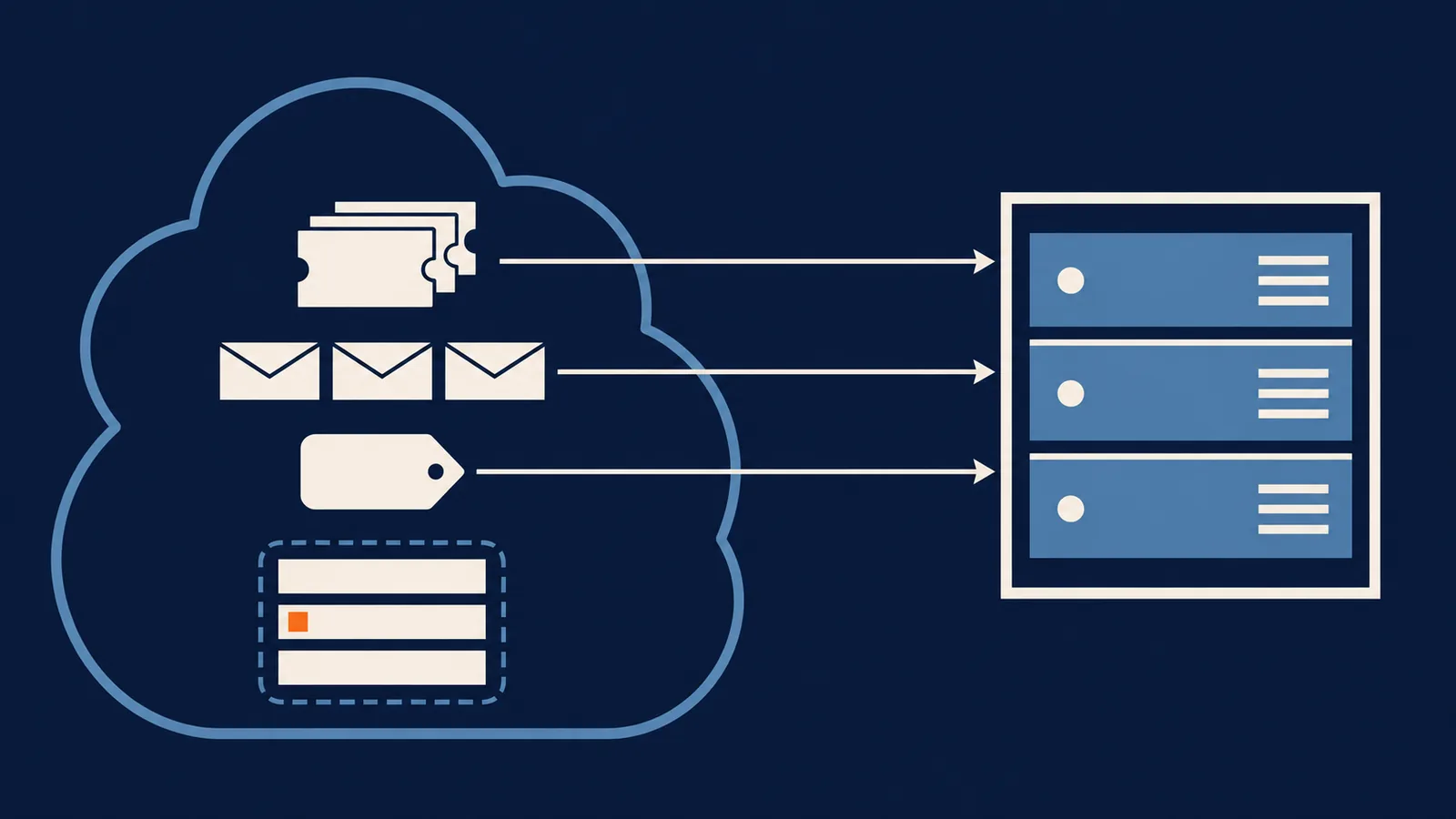
Your tickets can leave Zendesk. Your triggers, automations, macros, views, SLA policies and Help Center articles can't. Both Zammad and Escalated have a Zendesk importer, and neither carries those over, so the real cost of switching is rebuilding the rules that run your support, not moving the history.
Below: which open source help desks can import, what the import does and doesn't bring, how to rebuild your rules, and what it costs over three years at ten agents. That last comparison includes the case where staying on Zendesk is cheaper.
Why people leave
Cost is the usual reason. Zendesk's prices when we looked in November 2026, billed annually, were $19 per agent per month for Support Team, $55 for Suite Team and $115 for Suite Professional. The pricing page lists no permanent free plan, only a 14-day trial.
The other two reasons are where the data lives and how far you can change the product. Tickets hold names, addresses and order details, and self-hosting puts them on servers you choose. Open source also lets you add a field, rule or integration that no settings page offers.
None of this makes Zendesk a bad product. If price is your only objection, the cost section below shows when it holds and when it doesn't.
What you give up
You lose the vendor, so uptime, patching and security fixes become yours or your host's. You lose most of the app marketplace, since open source tools have far fewer ready-made integrations. Phone, chat and social channels are usually plugins, and AI assistants are something you wire up yourself. Escalated ships channels and AI as plugins, for instance. And if you use Zendesk for change or asset management, Escalated doesn't do that.
Who can import your Zendesk data
| Project | Licence | Zendesk import | Details |
|---|---|---|---|
| Zammad | AGPL-3.0 | Built in | Needs a full-administrator API key. No differential migrations. Passwords aren't migrated. Speed is limited by Zendesk's API rate limits. |
| Escalated | MIT | Adapter plugin | Needs a Zendesk admin email, subdomain and API token. Resumable. |
Zammad's requirements are in its Zendesk migration docs. Escalated's are in its importing guide and the escalated-plugin-import-zendesk repository. Other projects may have importers too, so check their docs. Whichever you pick, your Zendesk plan has to include API access, and that's Zendesk's rule, so confirm it before you set a cutover date.
What the import brings across
Escalated's adapter imports in a fixed order: agents, tags, custom fields, departments (Zendesk groups), contacts, tickets, replies, attachments. Statuses map like this:
| Zendesk status | Escalated status |
|---|---|
new |
open |
open |
in_progress |
pending |
waiting_on_customer |
hold |
waiting_on_agent |
solved |
resolved |
closed |
closed |
Priorities map low to low, normal to medium, high to high and urgent to urgent. Fields map as subject to title, group_id to department, assignee_id to assigned_to and requester_id to the requester.
Three limits, all from the importer's documentation:
- Deleted tickets are excluded, and archived tickets in Zendesk's long-term storage may not appear in the incremental export.
- Only non-system custom fields are imported. Subject, status, priority and the like are mapped directly.
- Rate limits slow it down. The adapter backs off on HTTP 429, so a large history takes a while.
Nothing on that list is configuration, which is why your rules don't move.
Rebuilding your rules
Escalated has three separate surfaces for what Zendesk splits differently, and they don't overlap:
| In Zendesk | In Escalated | How it differs |
|---|---|---|
| Triggers (fire when a ticket is created or updated) | Workflows | Event-driven. They react to events such as ticket.created or reply.created, and can't be time-triggered. |
| Automations (fire on elapsed time, like "pending for 3 days") | Automations | Time-based. A scheduled scan of conditions such as hours since the last reply. They can't react to events. |
| Macros (an agent applies a bundle of actions) | Macros | A one-click bundle used by an agent. No conditions, no triggers. |
| SLA policies | SLAs | Built-in SLA tracking. Re-create each policy's targets by hand. |
| Views, Help Center, side conversations | Not mapped here | Check each against the docs for the tool you choose. |
Sorting your rules into those piles is useful on its own. A trigger like "when a ticket is solved, send a survey" becomes a workflow. "Close tickets that have been solved for 4 days" becomes an automation, because nothing happens on day 4 to trigger anything.
Migrating
- Inventory your configuration. Export or screenshot every trigger, automation, macro and view, since the importer won't do this part.
- Confirm API access on your Zendesk plan and create an admin API token. For Zammad you need a full administrator's key, because a lesser account gives an incomplete migration.
- Run a trial import into a throwaway install. Compare ticket counts and spot-check threads, authors, dates and attachments.
- Decide your history window. You rarely need every closed ticket from five years ago.
- Rebuild your rules using the table above.
- Set up email routing and send a test reply to an imported ticket to confirm it threads. Our email ticketing guide covers what to check.
- Run in parallel for a short while with Zendesk read-only, then redirect your support address and widgets.
- Keep the Zendesk export until you're sure. Zammad's importer doesn't support differential migrations, so plan on a single cutover. Escalated's docs describe resuming an interrupted job, not a later catch-up pass, so test that before you rely on it.
The Escalated import from the command line, with credentials as environment variables:
ESCALATED_IMPORT_ZENDESK_SUBDOMAIN=acme \
ESCALATED_IMPORT_ZENDESK_EMAIL=admin@example.com \
ESCALATED_IMPORT_ZENDESK_TOKEN=your-api-token \
php artisan escalated:import zendesk --no-interaction
If the job is interrupted, php artisan escalated:import zendesk --resume=<job-id> continues from the last good batch.
Ten agents, three years
Zendesk prices are the annual-billing figures above, per agent. The self-hosted line assumes a $20 a month server, 10 hours of setup and 3 hours of upkeep a month, with an hour worth $50. Swap in your own.
Zendesk, 10 agents, 3 years
  Support Team        $19 x 10 x 12 x 3   =  $6,840
  Suite Team          $55 x 10 x 12 x 3   = $19,800
  Suite Professional  $115 x 10 x 12 x 3  = $41,400

Self-hosted, same period
  Year 1   server 240 + setup (10 h x 50) 500 + upkeep (36 h x 50) 1,800  = $2,540
  Year 2   server 240 + upkeep 1,800                                      = $2,040
  Year 3   server 240 + upkeep 1,800                                      = $2,040
  Total                                                                    = $6,620
Against Suite Team or Suite Professional at ten agents, self-hosting is far cheaper. Against Support Team it's nearly a tie, $6,620 against $6,840, and one bad month of upkeep tips it the other way. If you only need the basic ticketing tier and price is your only complaint, moving may not pay.
Team size changes the answer, because the hosted line grows with every seat. At 30 agents the Support Team plan is $20,520 over three years. The self-hosted figure stays near $6,620 only if upkeep doesn't grow with the team, so test that against your own case. The value you give an hour matters most: at $100 an hour, the ten-agent self-hosted total is $12,520, well above Support Team.
Where Escalated fits
Escalated is MIT-licensed and self-hosted, with no per-agent fees. It installs as a package inside your own application, so tickets live in your database next to your customers and agents sign in with your existing accounts. It covers threaded conversations, internal notes, statuses, assignment, tags and SLA tracking, with workflows, automations and macros for rules.
It's the right choice if you already run an application in one of its supported frameworks. If you don't, use Zammad. It's a standalone help desk with its own documented Zendesk importer, and we'd send a non-developer support team there. The comparison page sets Escalated beside hosted products.
FAQ
What's the best open source alternative to Zendesk? Zammad if you want a separate help desk with a documented Zendesk importer. Escalated if you want one inside your own application. Check the licence and the stack you can run.
Can I import my Zendesk tickets into an open source help desk? Yes, with Zammad's built-in importer or Escalated's adapter. Both bring tickets, contacts, agents, tags and custom fields. Neither brings triggers, macros, views, SLAs or Help Center articles.
Is there a free alternative to Zendesk? The software is free, but you pay for hosting and the time to run it. Some hosted vendors have free tiers with limits on agents or features.
Will I lose features by switching? Possibly. Integrations, phone and chat channels, and AI features are the usual gaps. Email-based support is the easiest to move.
How long does a migration take? The trial import is quick. The slow parts are rebuilding your rules and waiting out Zendesk's API rate limits on a large history. Allow a few weeks if you have complex automation.
Prices and requirements as of November 2026.